How Access and Export MIP Report
For clients that are using MIP
1\. Login to the dashboard.
2\. Using the dashboard menu on the left-hand side, click Reports and scroll down to select MIP Report
3\. Click the filters button, and then click the green + button.
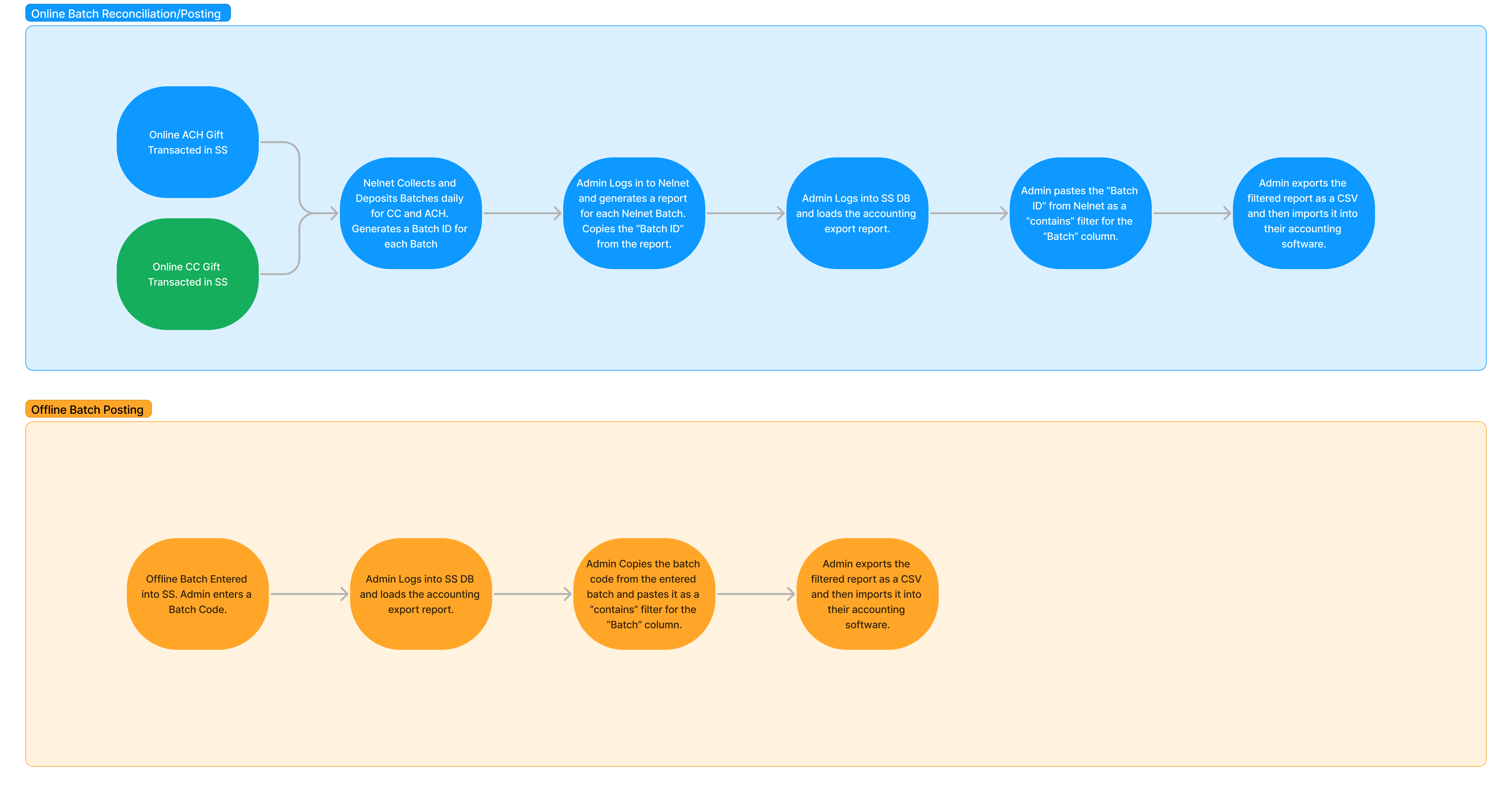
4\. Select which column you would like to filter by. In the case of trying to export a batch, select batch in the column field, select contains in the operator field, and enter the batch ID in the search field. Select OK.
5\. Click Apply Filters
6\. Click export, click CSV, and enter the em
ail address that you would like to use to receive the export file.
7\. Access the aforementioned email and download the export.
The image below outlines the batch posting and reconciliation process.
Updated on: 01/05/2026
Thank you!