How to make the Report Grade Entity
1\. Open Data Groups
2\. Click Add, and Name your Data Group
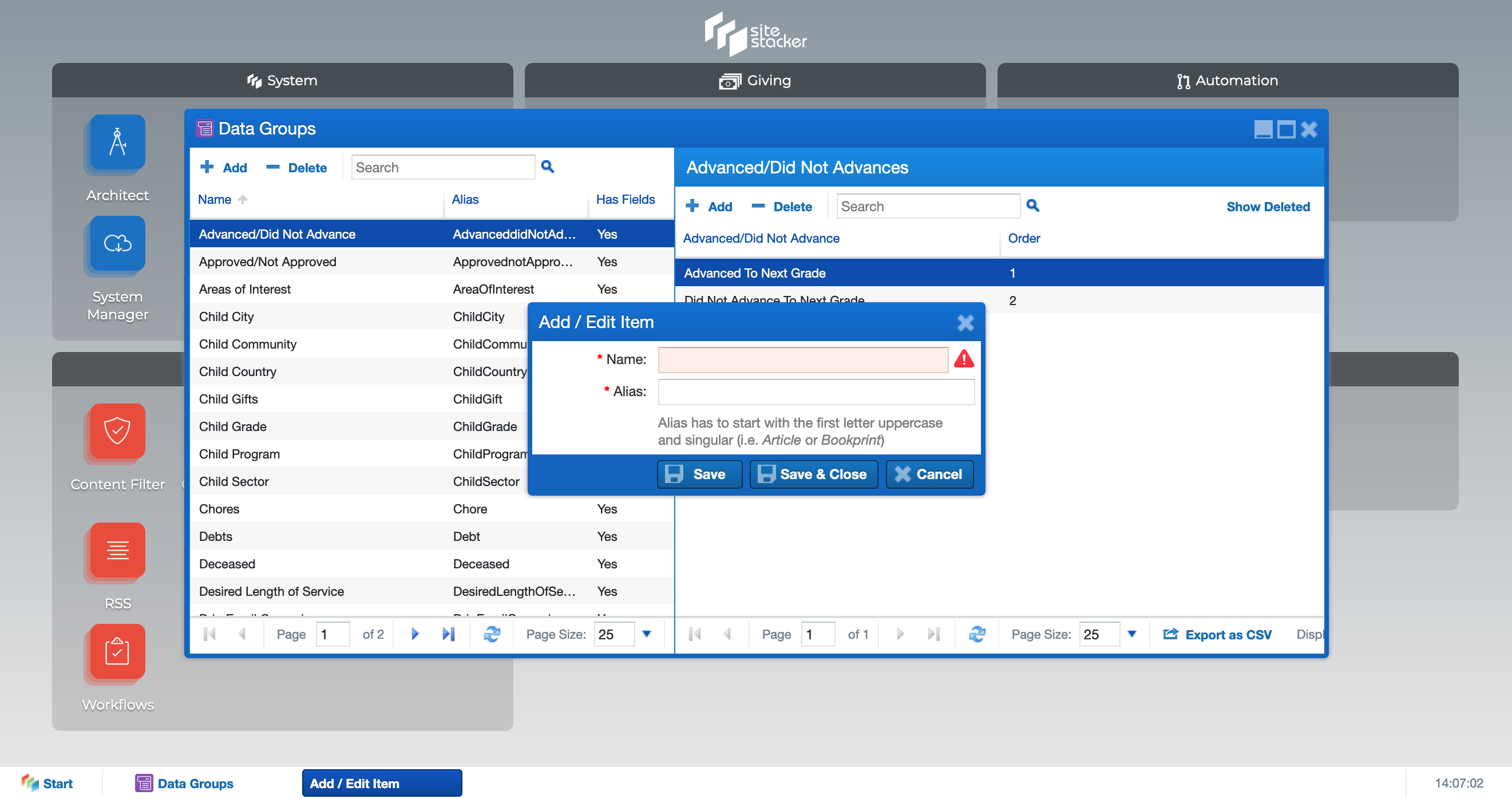
3\. Select your Data group, Right Click, and select "Manage Fields"
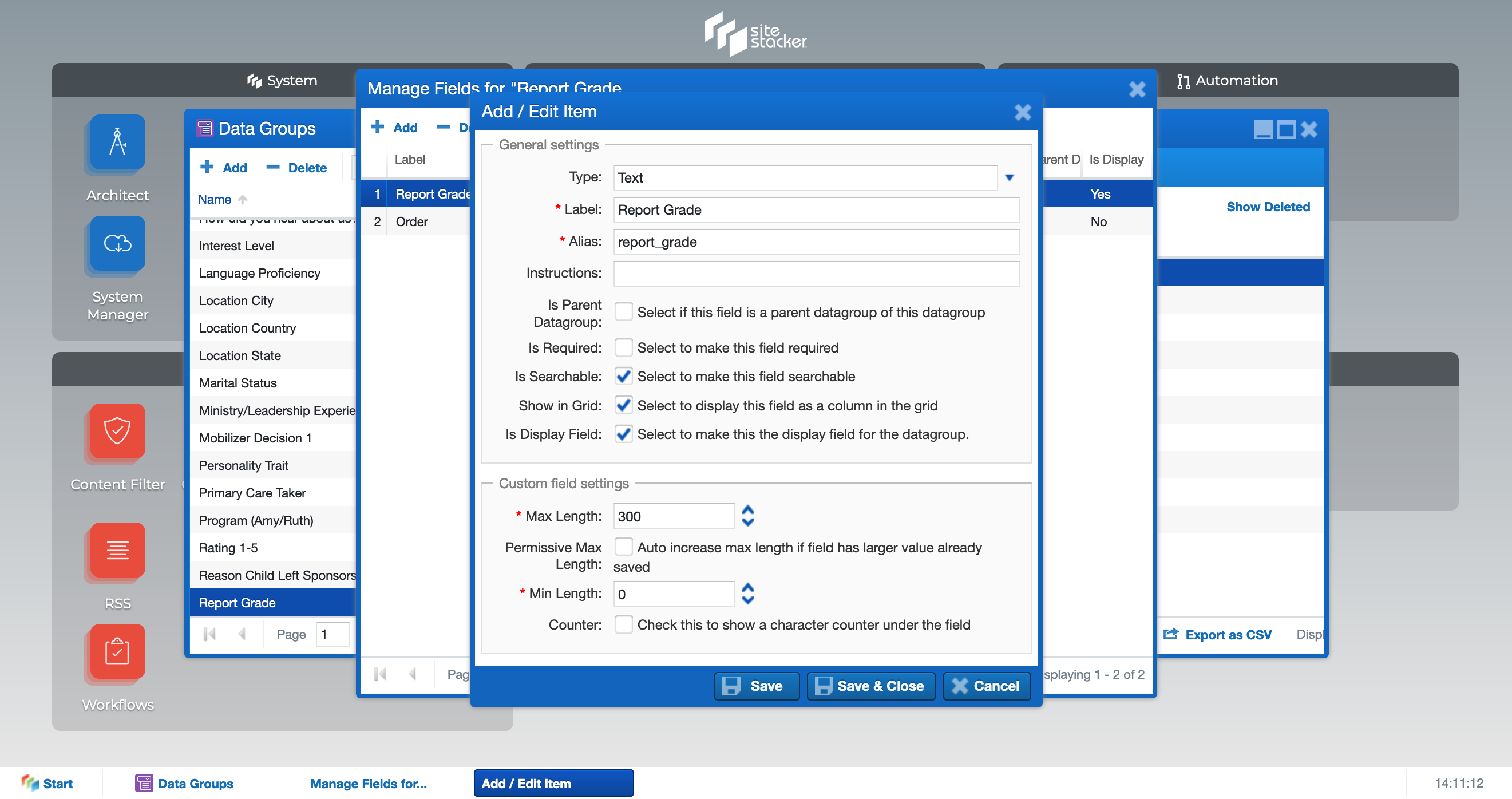
4\. Click Add in the Manage Fields Window. Configure the Add / Edit Item Window to mirror the screenshot below
Updated on: 14/04/2026
Thank you!