How to setup the Form Data viewer page
The Form Data viewer page allows the admin user to see all the applicants' form submissions. To get it setup, you will need to publish three pages;
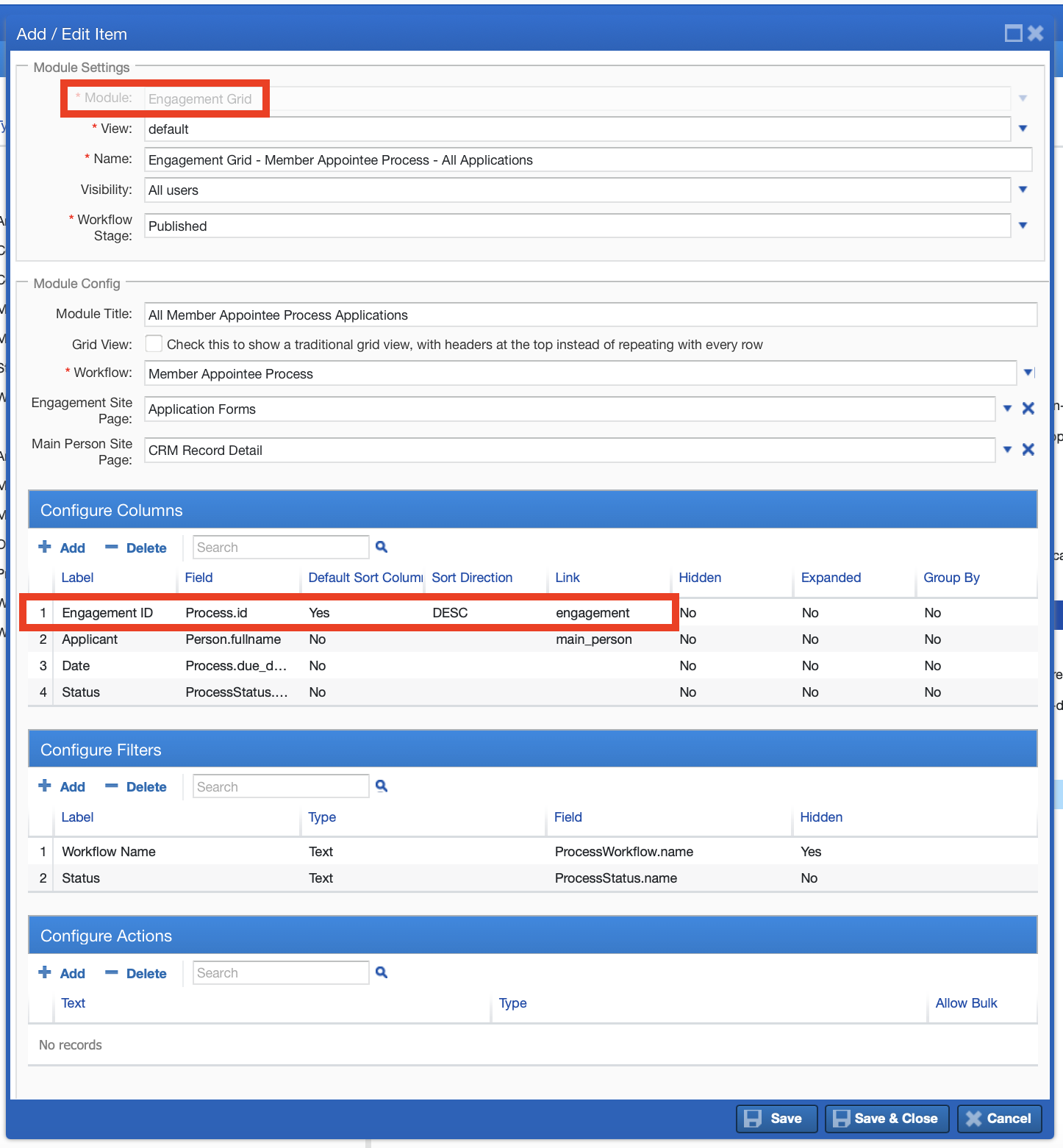
1\. ) The first page would hold an Engagement Grid module that shows a list of all of their workflow engagements, filtered however needed. This module would link to the next page, passing in the Engagement ID.
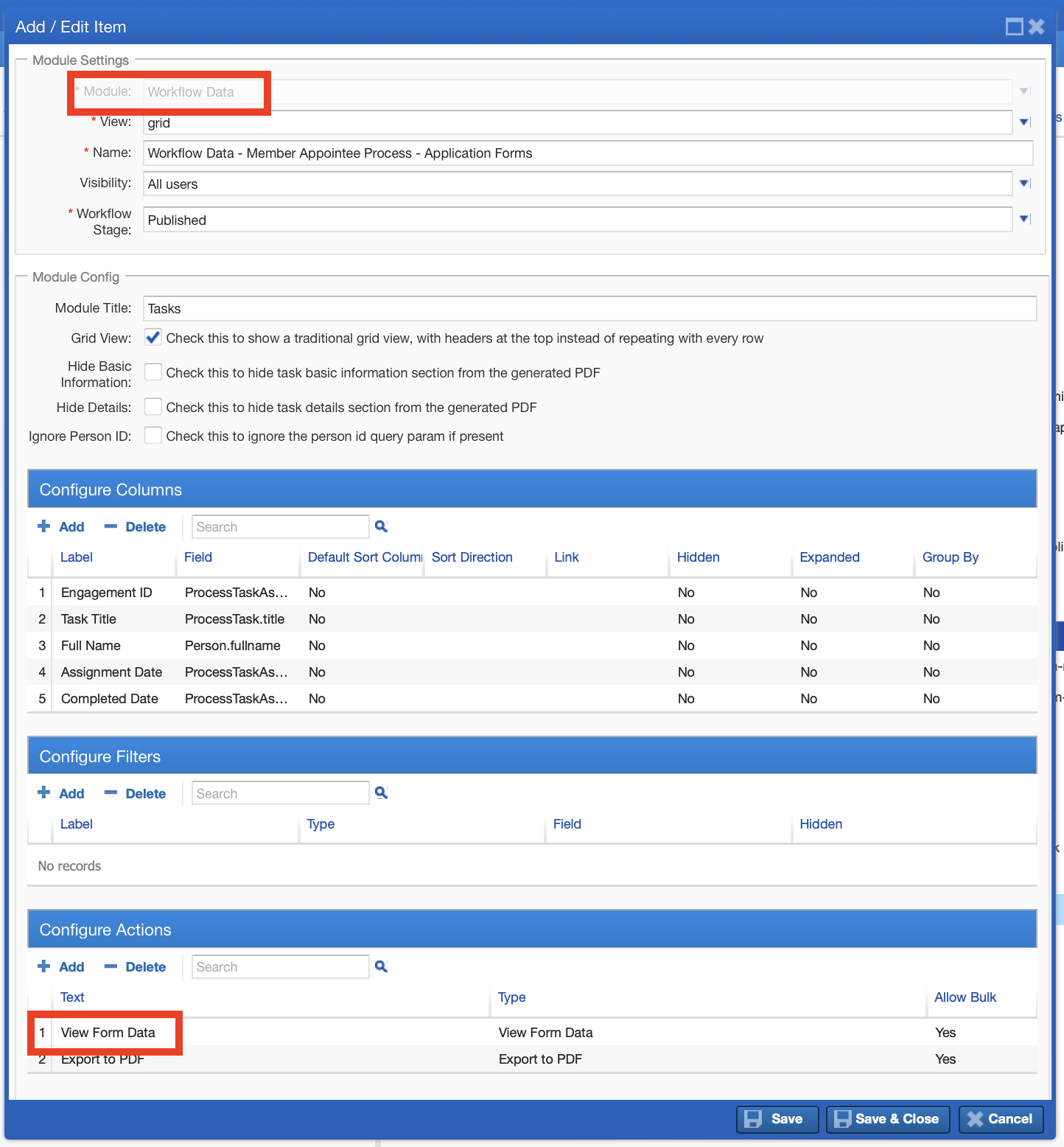
2\. ) The next page would hold the Workflow Data module, which receives the Engagement ID and shows the tasks assigned in that Engagement. The module would be configured with a "View Form Data" action, that links to the third page.
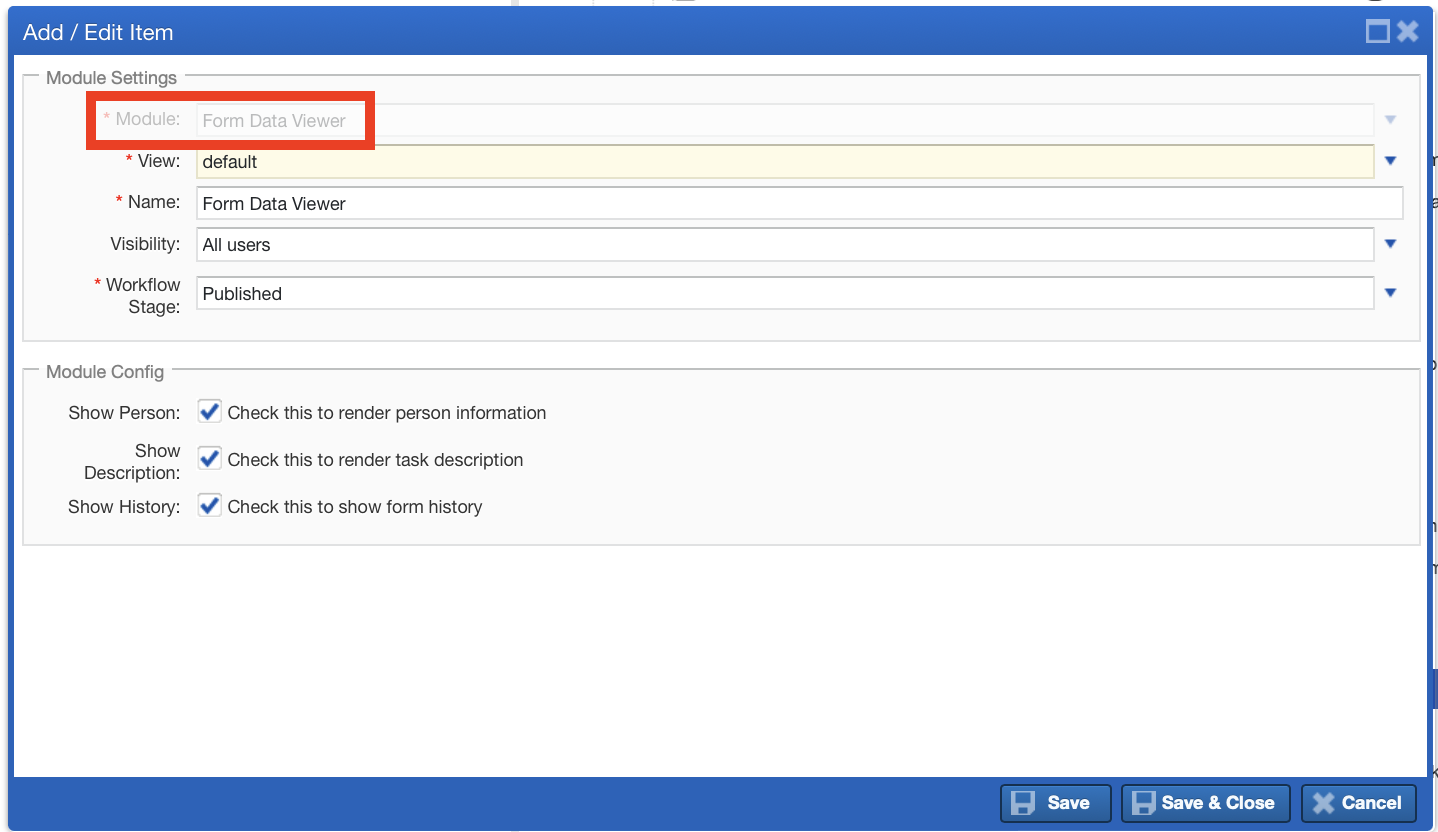
3\. ) The third page would hold the Form Data Viewer module. This is a simple module that will display the results of a form selected on the previous page.
Updated on: 14/04/2026
Thank you!