What does Missionary Flights International have currently on the dashboard?
*Core Missionary Flights International Dashboard pages*
Donor Management Page
- * *
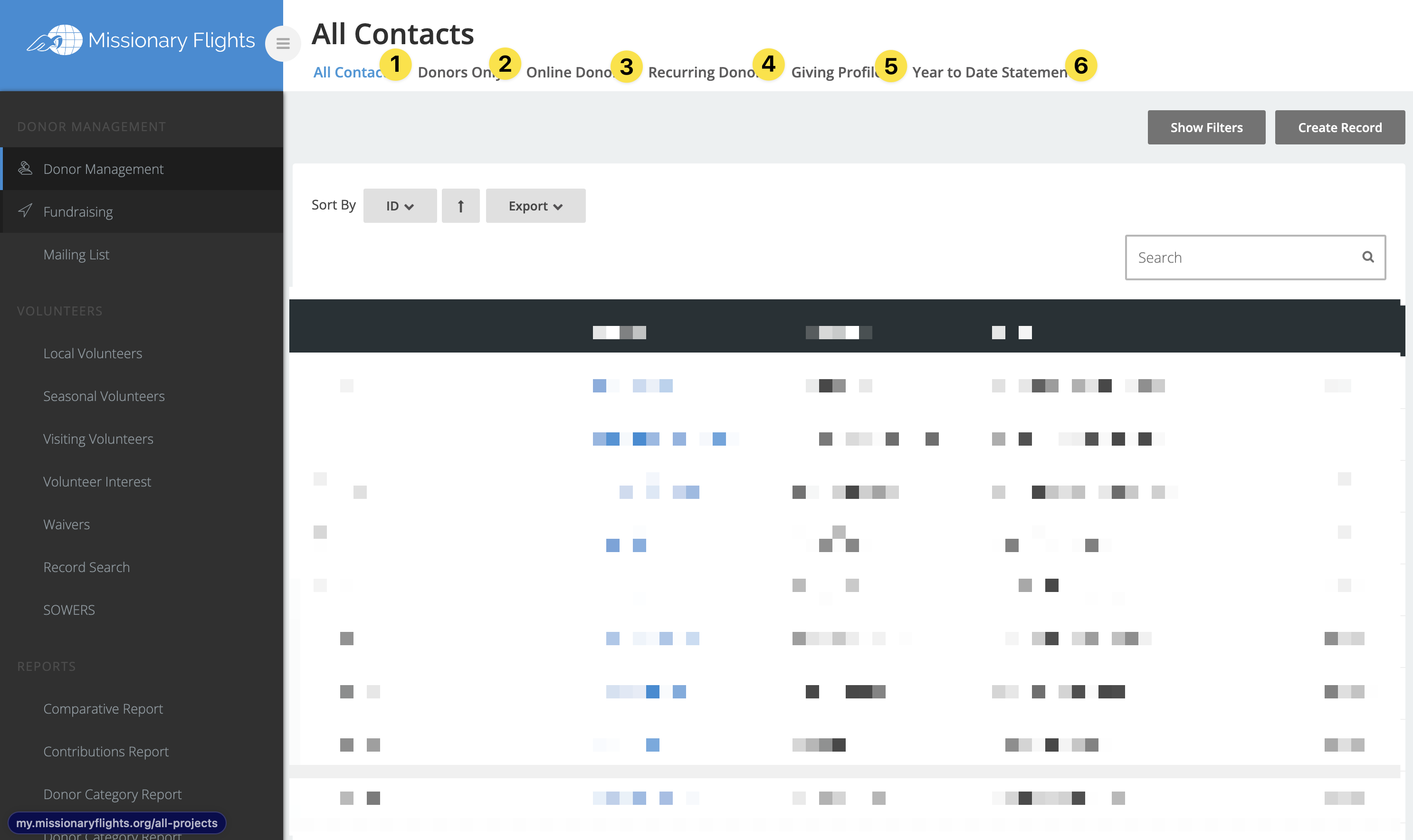
1\. All Contacts: A CRM grid of all contacts in Site Stacker
2\. Donors Only: A CRM grid of all contacts in Site Stacker filtered down to just donors
3\. Online Donors: A CRM grid of all contacts in Site Stacker filtered down to just online donors
4\. Recurring Donors: A CRM grid of all contacts in Site Stacker filtered down to just recurring donors
5\. Giving Profiles: This is a Historic Giving grid of all contacts filtered down to donors with the total of the gift and the fund they have given to. This grid lists all transactions and is NOT grouped by Donor.
6\. Year to Date Statement: This is not a recommended way to support
**Fundraising Page
- * *
 *
*
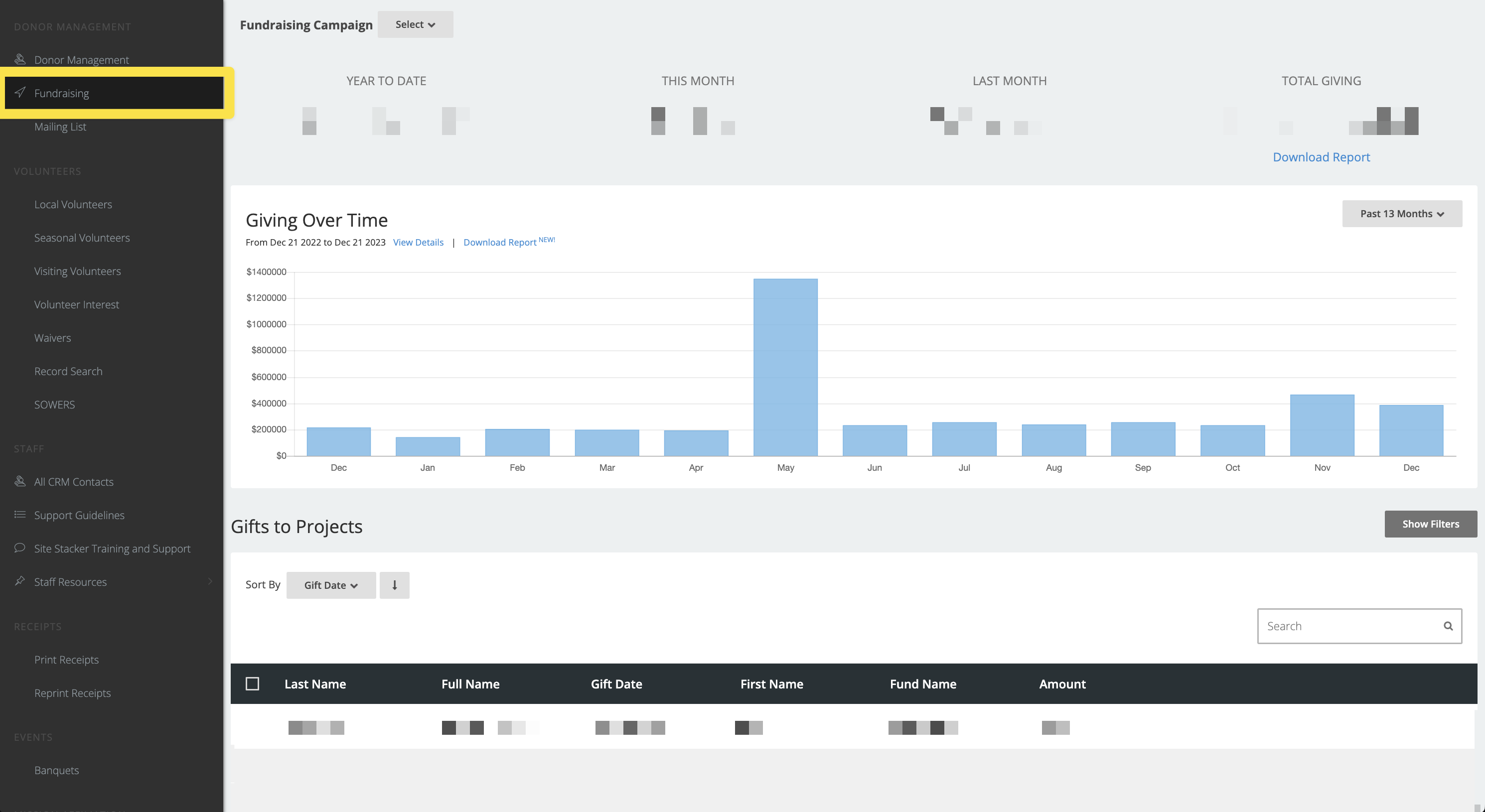
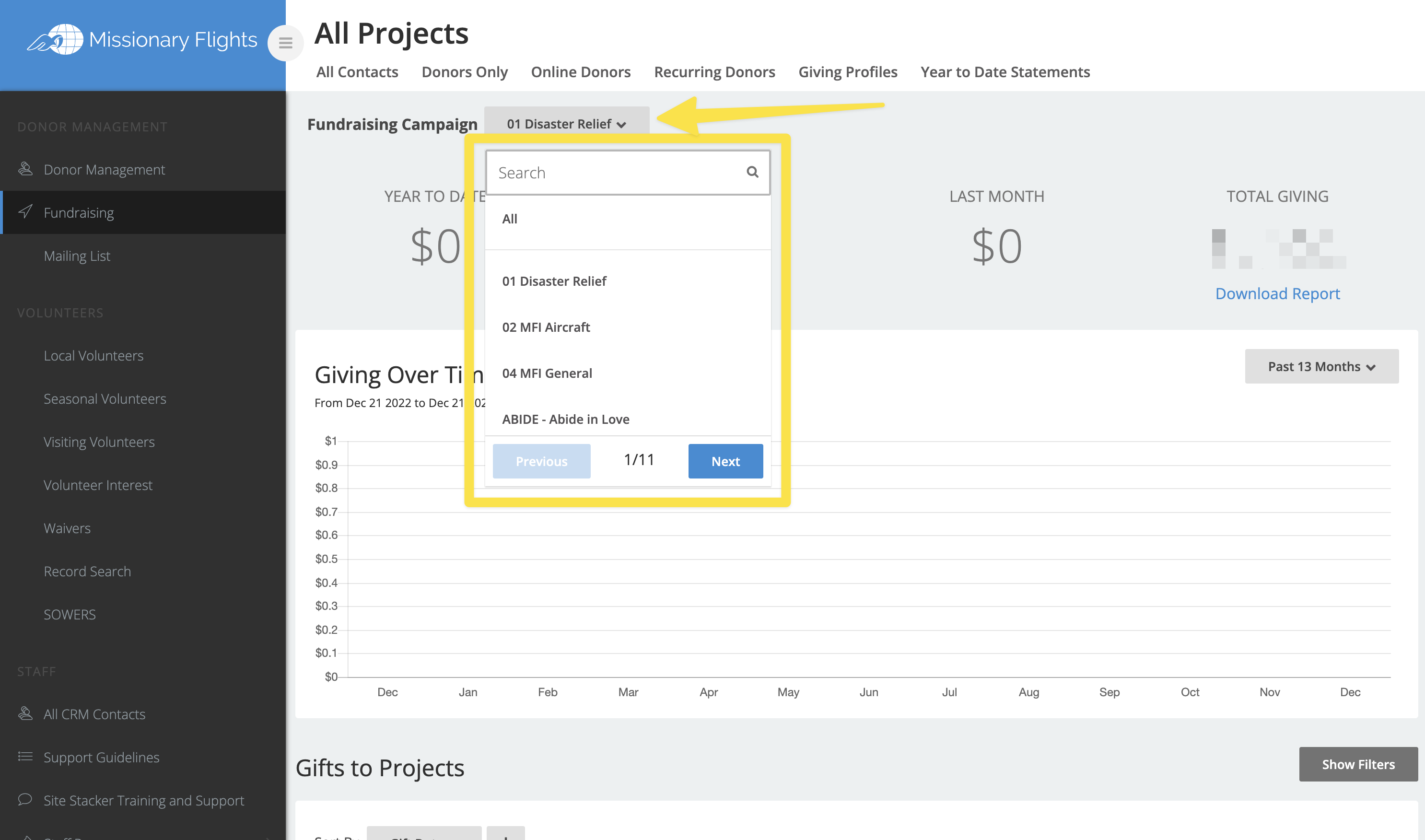
The "Fundraising Raising" Page is set up so you can see giving to all projects. You can use the "Fundraising Campaign" filter highlighted below to filter down the data to a single campaign.
Below the metrics and bar chart, you will see all the gifts given to that fund.
Mailing List
- * *
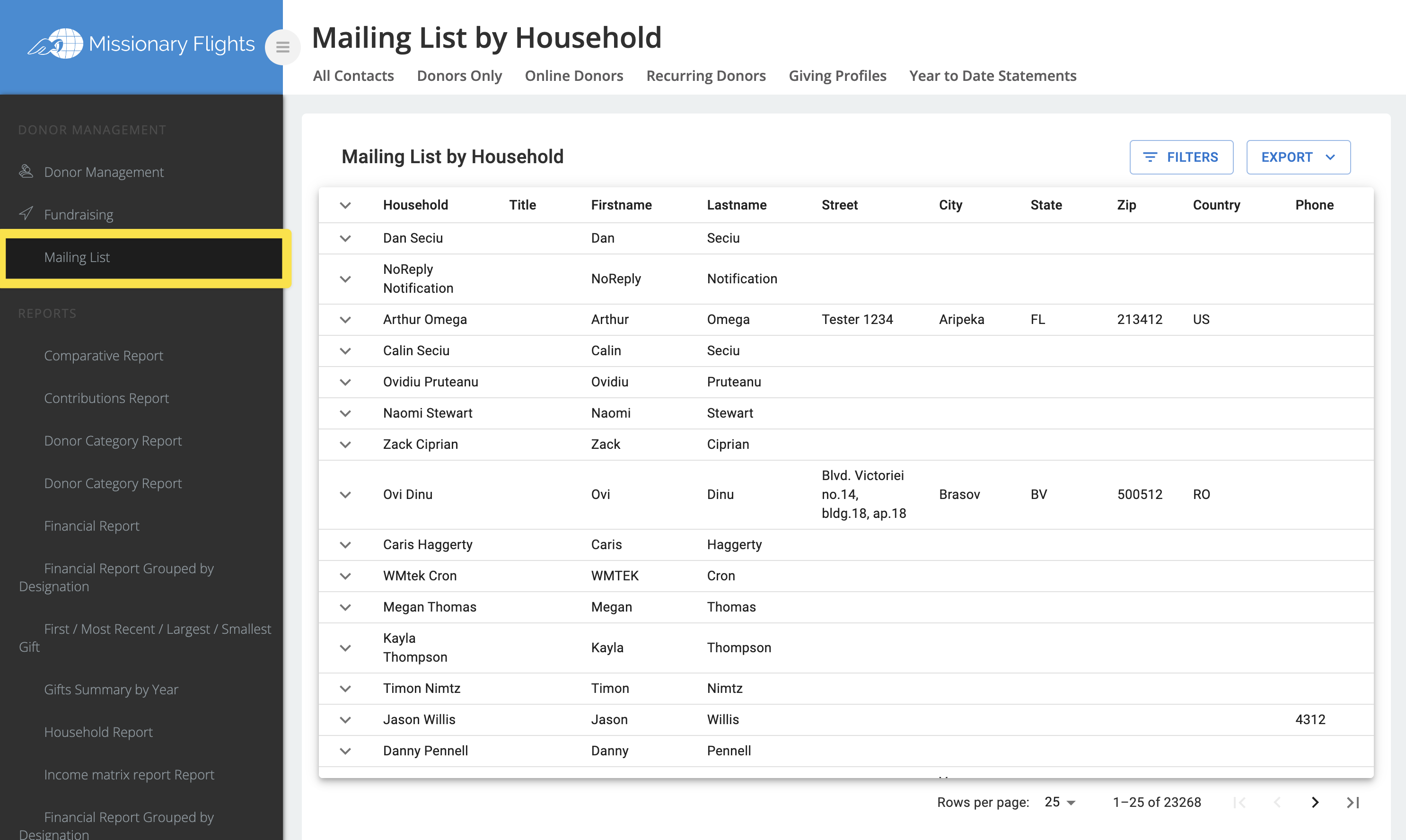
The Mailing List Page is a report that is exportable as a CSV to be used for address labels. It has the person's address broken out so it can be used for a mail merge for address labels.
Updated on: 14/04/2026
Thank you!