Modifying the PDF
Body Text & Headers
All of the body content is within the main div.table-container
Headers
main > div.table-container > table > tbody > tr > td > h2#cell-header
Changes the inner text of the cell headers will adjust the header text in the rendered pdf

\= >

Body Text
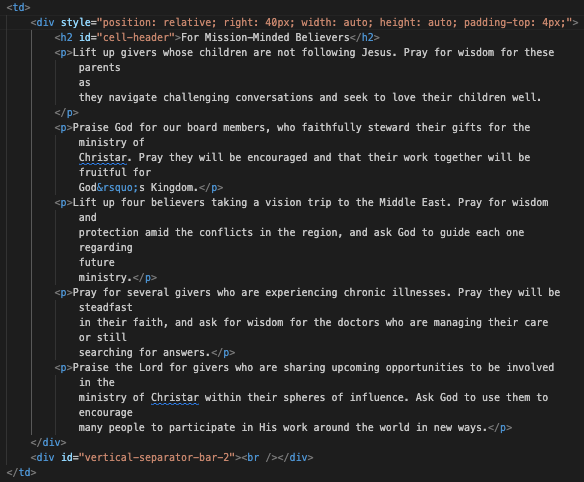
main > div.table-container > table > tbody > tr > td > p
Every other td has an inner div - do not remove this, it is responsible for correct spacing on the left side body text.
All of the inner p tags within the td can be modified or deleted in any way.
To get the right paragraph styling text, you will need to follow
td > p > \[your text here\]
\= >

Footer Image
Ensure the new asset is 1960px by 800px, .jpg file extension, and 150 dpi.
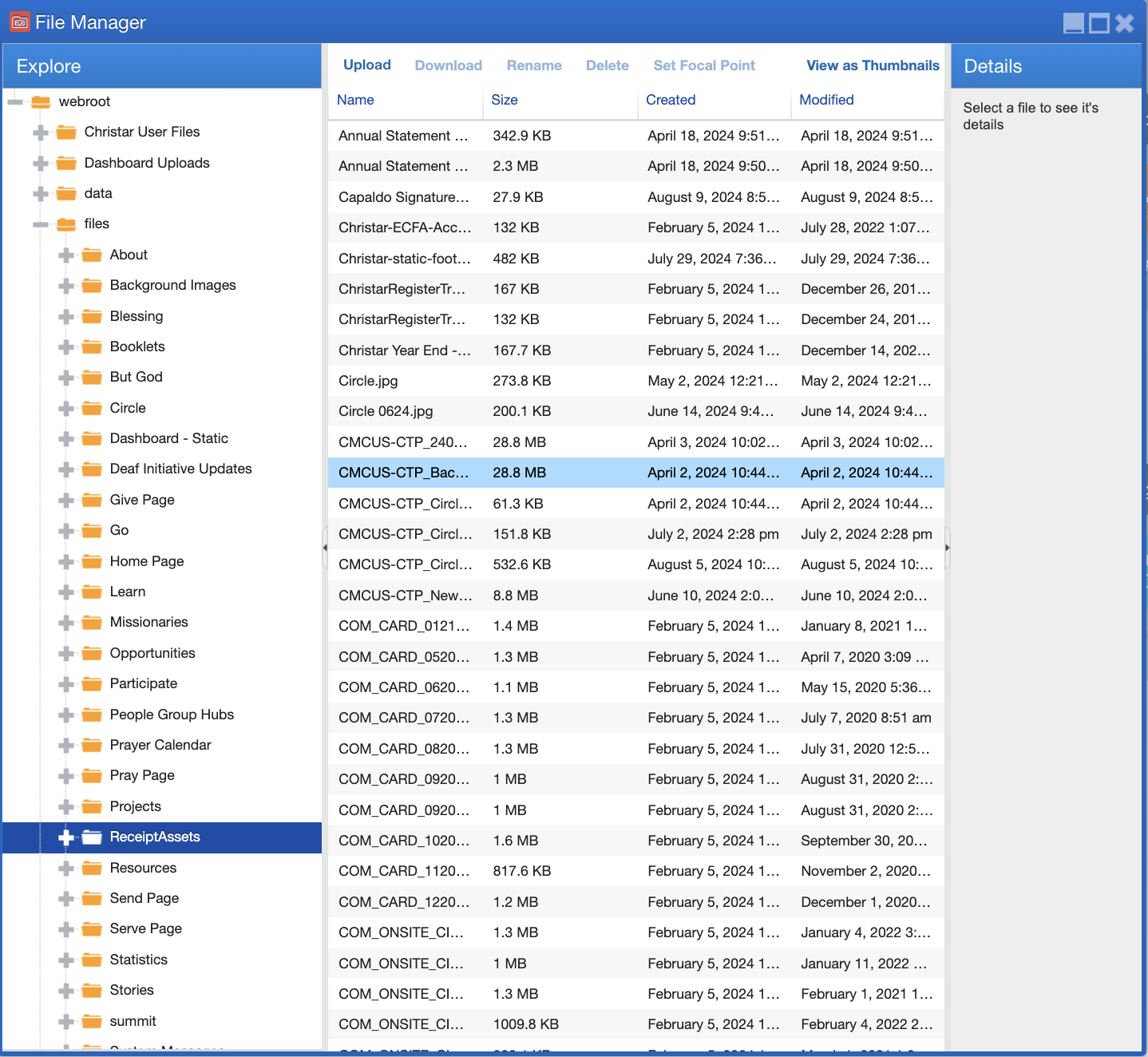
Add new asset to:
File manager > webroot > files > ReceiptAssets
locate the image img#footer-img
modify the src attribute to conform to your new asset name

\= >

Updated on: 14/04/2026
Thank you!